
Character AI has become a sensation with over 20 million monthly active users and nearly 200 million total visits. The platform's popularity skyrocketed after its public beta launch in September 2022.
The platform stands out from regular productivity-focused chatbots. Users can chat with AI versions of celebrities, athletes, and historical figures in 31 different languages. The system lets you create your own characters with custom personalities, responses, and voices. The character ai app racked up 1.7 million downloads in its first week, while the web version provides the same engaging chat features.
We'll show you the essentials of character ai chat in this piece - everything from setting up your account to creating your own AI characters. Safety comes first though, as users must be at least 13 years old, or 16 for EU residents. Ready to begin your character ai experience?
Step 1: Character AI Login and Account Setup
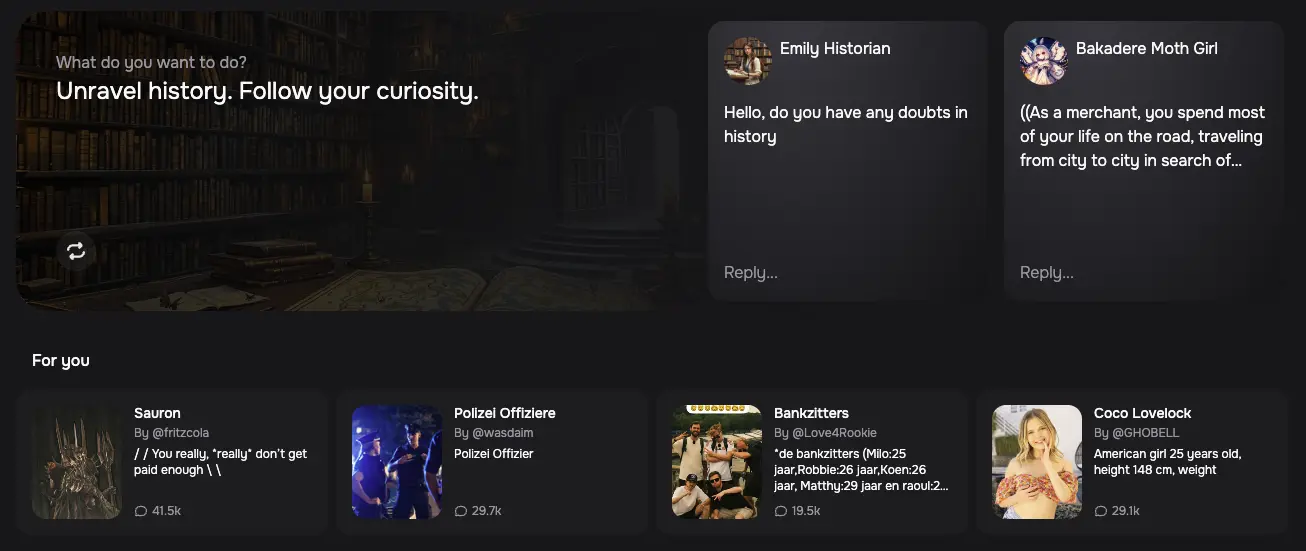
Image Source: Galaxy.ai
You can start using Character AI in just a few minutes. The platform lets you create an account in several ways, and anyone with an internet connection can use it.
How to sign up and log in to Character AI
The steps to create a Character AI account are simple:
- Head to the official Character.AI website
- Look for the "Sign-Up" button in the top right corner of the homepage
- Pick one of these sign-up options:
- Continue with Google
- Continue with Apple
- Continue with email verification
Keep in mind that Character AI updated its login system as of July 30, 2024. The platform removed Discord, Facebook, and password-based email logins to boost security and protect its users.
You'll need to add your date of birth during signup. After completing these steps, you can chat with millions of available characters right away.
Note that your chosen signup method becomes your permanent way to log in. To cite an instance, choosing Google means you'll always need to use the "Continue with Google" option when logging in.
Choosing between Character AI app and web version
Character AI comes in two flavors: a web platform and mobile apps. The web version gives you the complete experience with all features when you use any browser.
The mobile app makes conversations on the go easy. You can get it from the Apple App Store or Google Play Store. The app works great on smartphones, but there are some differences you should know about:
The web version packs more features than its mobile counterpart. Some users say the app runs slower and has more bugs than the website. In spite of that, the app delivers the basic features you need if you mostly use your smartphone.
Your priorities and usage patterns will help you pick the right version. Many people use both - the website for deeper interactions and the app for quick chats throughout their day.
Step 2: Start Your First Chat with an AI Character
Your first conversation on Character AI opens up a world of interactive possibilities. Creating an account lets you start chatting with AI-powered personalities right away.
Browsing and selecting a character
Character AI makes exploring AI personalities easy with several categories:
- Featured - Showcases popular and trending characters
- Historical Figures - Has representations of famous people from the past
- Fictional Characters - Characters from books, movies, and TV shows
- Original Characters - Unique user-created personalities [1]
The Character AI home page displays available AI character chatrooms [2]. You can use the search bar to find personalities matching your interests. To name just one example, searching for "language tutor" helps find characters to practice languages with [3].
Clicking on an interesting character's profile starts a conversation. Note that your chats on Character AI stay private - other users can't see them [2].
Tips for meaningful conversations on Character AI chat
AI characters need a different approach than typical chatbots to create engaging interactions:
- Ask open-ended questions instead of yes/no prompts. "Tell me about your most challenging battle" works better than "Are you a knight?" and generates richer responses [4].
- Double parentheses ((example)) help provide specific instructions that guide the AI toward your desired scenario [5].
- Take control of your conversation by setting the scene yourself rather than using pre-generated messages [5].
- Create emotional depth by trying different tones. Saying things like "That was the most beautiful thing anyone told me" makes interactions more immersive [4].
- Group chats create more dynamic interactions. Character AI lets you create group chats with up to 10 humans and 10 characters [6].
A curious approach works best. Character AI is a chance to get uniquely engaging dialogs whether you want advice, language practice, or just witty conversation.
Step 3: Create and Customize Your Own AI Character

Image Source: BitDegree
Character AI lets you create your own AI personality that delivers a unique experience. You can design characters with specific traits, voices, and interaction styles that match your vision.
Defining your character's personality and style
The process starts by clicking the "+" icon on the navigation bar and selecting "Create a Character." The character creation screen presents these vital elements:
- Name and Avatar: Pick a descriptive name and upload or generate an image that represents your character.
- Greeting and Tagline: Write an introduction message that users see during their first interaction.
- Description Field: This vital section shapes your character's traits, background, and behaviors.
The first 3200 characters in your description matter most to define your character's personality. Character AI uses these details to create responses that line up with your character's profile.
Uploading a voice for your character
Character Voice lets you hear AI characters speak in 1:1 chats, which makes interactions feel more real. Here's how to add a voice:
- Click "Create" on the home tab and select "Voice"
- Upload a clear audio clip (10-15 seconds) or record with your microphone
- Preview your recording and click "Generate Voice" when you're happy
- Name your voice and describe it
Voice features make conversations deeper by adding tone and emotion that bring more realism to chats.
Managing privacy and sharing options
Character AI gives you three visibility options to choose from:
- Public: Everyone can find your character on the home page and in searches
- Unlisted: Only people with the link can access it
- Private: Only you can access it
You can also control who sees your character's definition separately from chat permissions. Private chats stay confidential unless you share them using the platform's sharing feature.
Note that character creators can't see private messages between users and characters, which keeps your conversations private.
Step 4: Explore Extra Features and Stay Safe
Character AI offers more than simple chatting and continues to add state-of-the-art features that boost your experience. These additional features and safety considerations deserve a closer look.
Trying out Character AI games and AvatarFX
Character AI has reshaped the scene with engaging games like "Speakeasy" and "Say the Same Word" that create new ways to interact with AI personalities [7]. You can access these games through a new button on the prompt bar or the dedicated game selection menu. The platform displays celebratory animations and tracks your scores when you win, which adds a competitive element to your experience.
AvatarFX showcases Character AI's advancement into video generation technology [8]. This feature brings images to life—they speak, sing, and show emotions with a simple click. AvatarFX supports 2D animated characters, 3D cartoon characters, and non-human faces. Each video includes watermarks to clarify they aren't real footage, ensuring safety [9].
Understanding beta Character AI and new updates
Character Experiments are beta features that remain in testing phases [10]. C.ai+ subscribers get first access to these state-of-the-art additions before their wider release. Mobile app users who pick "Preview" instead of "Stable" can try these features early.
The platform strengthens its core functionality through updates that increase memory/context limits, reduce repetition, and boost character consistency [11]. Character AI has built a resilient infrastructure, achieving an 85% reduction in outages compared to previous years [11].
Safety tips for using Character AI responsibly
Character AI maintains comprehensive safety measures throughout its platform:
- Each chat reminds users they're talking to AI, not real people [12]
- The platform uses more conservative models for users under 18 to limit exposure to sensitive content [13]
- Automatic notifications appear after one hour of continuous use [12]
- Personal information should stay private, regardless of an AI character's trustworthiness [14]
- Reporting tools help flag concerning content or characters [14]
Character AI displays pop-up resources that connect users to mental health support when concerning topics come up [15]. The Trust & Safety team monitors content and enforces community guidelines around the clock [13].
Conclusion
Character AI is one of the most engaging AI platforms available today. We've covered everything in getting started - from setting up your first account to creating AI characters with unique voices and personalities. The platform also goes beyond basic text chats with features like immersive games and AvatarFX.
Character AI shines in its flexibility. You'll find something that interests you, whether you love historical figures, fictional characters, or want to create your own. The platform gives you a safe yet entertaining experience that works well for users of any age.
Note that you'll get better results as you practice more. Your conversations become more natural when you try different characters and play with customization options. Soon you'll move from simple chats to building complex characters that have their own personalities for others to enjoy.
Character AI keeps getting better with new features and updates that help you get more from this amazing technology. It has changed how we connect with artificial intelligence. Now it's not just a tool to get things done - it's a creative space for meaningful chats and endless possibilities.
FAQs
Q1. Is Character AI appropriate for all ages? Character AI requires users to be at least 13 years old (16 for EU residents). The platform employs more conservative models for users under 18 to reduce exposure to sensitive content.
Q2. How can I improve my conversations on Character AI? To enhance your Character AI experience, use third-person writing, utilize the star rating system, avoid responding to out-of-character messages, and maintain good grammar. Additionally, consider using music and ambient sounds to create a more immersive atmosphere.
Q3. How do I create my own AI character on Character AI? To create your own AI character, click the "+" icon, select "Create a Character," and fill in details like name, avatar, greeting, and description. Focus on the first 3200 characters of the description as they carry the most weight in defining your character's personality.
Q4. Can I customize the voice of my AI character? Yes, you can add a voice to your character using the Character Voice feature. Upload a clear audio clip or record directly through your microphone, then preview and generate the voice for a more immersive chat experience.
Q5. How does Character AI ensure user safety? Character AI implements several safety measures, including reminders that conversations are with AI, not real people. The platform also provides automatic notifications after prolonged use, employs a Trust & Safety team to monitor content, and offers reporting tools for users to flag concerning content or characters.