
Text to Cursive
Convert your text into beautiful cursive fonts instantly and download it as a PNG.
Visit Text to Cursive ↗- Category
- Text
- Pricing
- Freemium
What is Text to Cursive?
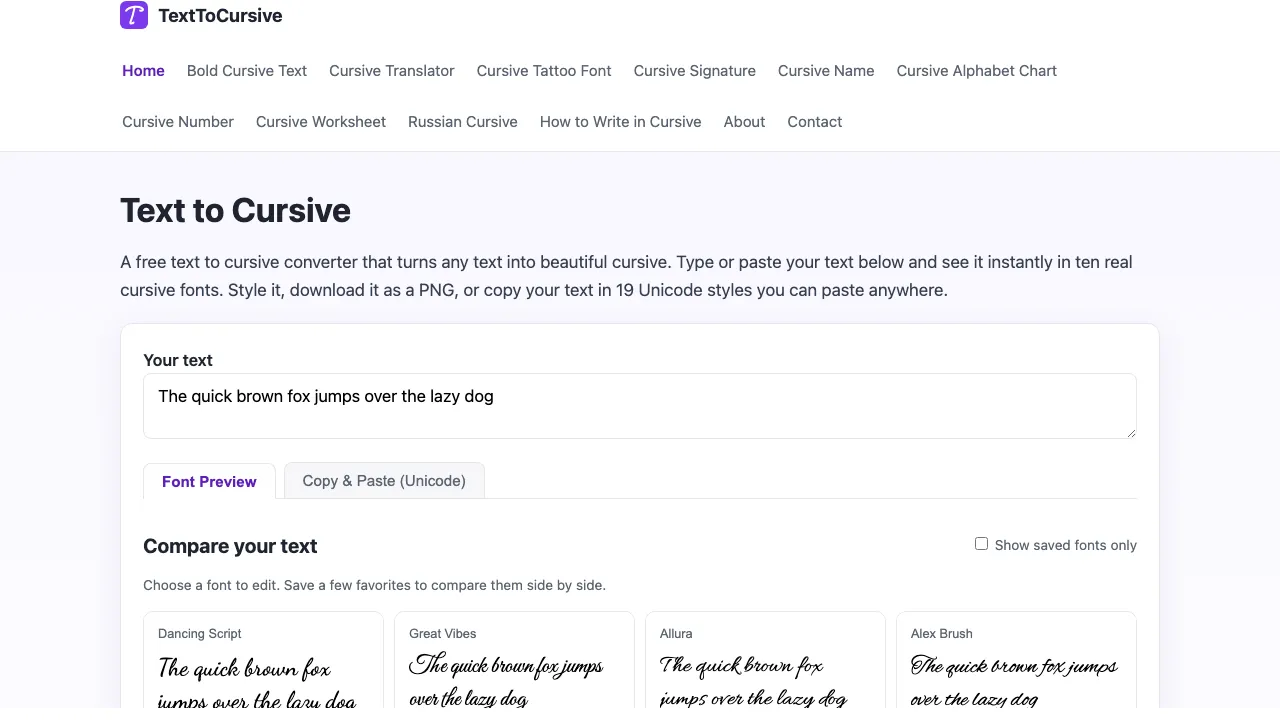
Text to Cursive is a free online tool that converts any text into beautiful cursive fonts. Users can type or paste their text and see it instantly rendered in ten different cursive styles. The tool allows for customization, including font size, color, and alignment, and users can download their creations as PNG images or copy them in Unicode styles for use in various applications. This tool is particularly useful for anyone looking to add a personal touch to invitations, social media bios, or educational materials. With no sign-up required, it offers a hassle-free experience for users of all ages.
Text to Cursive features
Ten real cursive fonts
Download as PNG
Copy & Paste in Unicode
Customizable font size and color
No sign-up required
Use cases
- Create beautiful cursive text for invitations.
- Generate cursive text for social media bios.
- Make handwriting practice worksheets for students.
- Design cursive signatures for emails.
- Preview and download cursive fonts for tattoo designs.
Similar tools
Matched by shared tasks, capabilities and categories.

Transform your text into beautiful cursive styles for social media and creative projects.

Create and share documents quickly with FlashPaper's intuitive platform.

Collaborative writing platform for teams and individuals to create content together in real-time.

An advanced plagiarism checker that detects text originality and AI-generated content with high accuracy.

iFable was a storytelling platform that empowered creators with innovative tools.

A platform for content creators to publish articles, tutorials, and summaries on diverse topics.
Text to Cursive FAQ
Is this text to cursive converter really free?
Yes — TextToCursive is 100% free with no sign-up and no usage limits.
What is the difference between the Font Preview and the Copy & Paste tab?
The Font Preview tab renders your text with real cursive fonts, while the Copy & Paste tab converts your letters into Unicode cursive characters.
Directory listing. Confirm current features, pricing and terms with the provider. User ratings are separate from editorial testing.
Report outdated information or request ownership of this listing
Help keep Text to Cursive accurate. Include an official source and describe the correction. Ownership requests are reviewed manually and do not grant editing access.
Text to Cursive user ratings
Be the first to rate Text to Cursive. It takes four clicks, and a written review is optional.
Rate Text to Cursive
Log in to rate Text to Cursive in four clicks. A written review is optional.
Log In to Rate