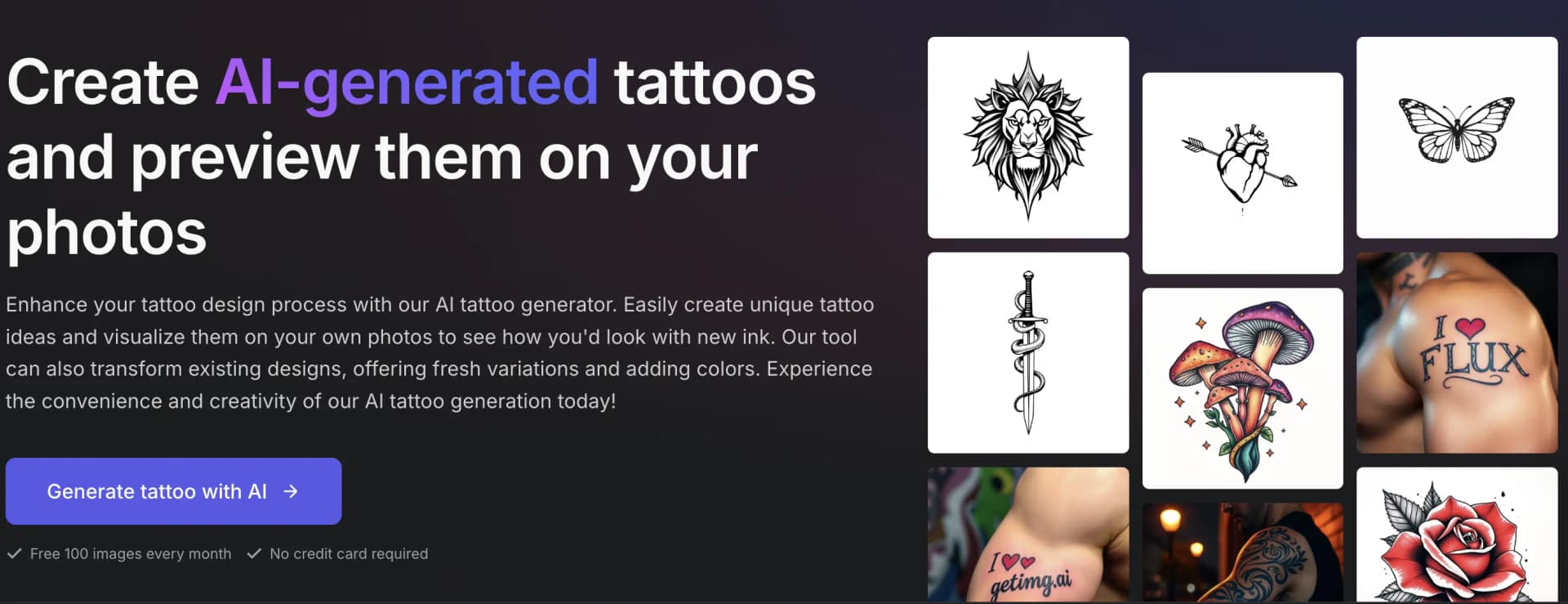

Getimg AI Tattoo Generator
Generate tattoo concepts from text or reference images and preview them on your own photos. Compare design directions before taking a reference to a tattoo artist.
Visit Getimg AI Tattoo Generator ↗- Category
- Images
- Pricing
- Freemium
What is Getimg AI Tattoo Generator?
getimg.ai AI Tattoo Generator creates tattoo concepts from written descriptions or reference images. You can explore linework, shading, color and composition, then generate a placement preview on a photo of your own body. Existing sketches or tattoo photos can also guide changes to a design. The results are visual references to discuss with a tattoo artist, not production-ready stencils. Placement is guided through prompts rather than dedicated controls.
Getimg AI Tattoo Generator features
Generate multiple tattoo concepts from the same prompt for comparison.
Restyle reference designs, simplify linework, add detail or change colors.
Create placement previews as new images without overwriting the original photo.
Use automatic model selection or choose a model manually.
Is Getimg AI Tattoo Generator right for your workflow?
Product details from the vendor’s documentation.
What you provide
- Text descriptions of the tattoo subject, style, linework, shading, color and placement.
- Existing sketches or tattoo photos used as references.
- A photo of the body area for a placement preview.
What you can create or export
- Tattoo concept images and visual references.
- Generated tattoo placement previews on personal photos.
How it works
- Open Create image, leave model selection on Auto or select a model, and set the batch size.
- Describe the design or attach a reference and explain the changes you want.
- Generate a batch and compare linework, composition and style.
- Attach a body-area photo and specify the exact side and placement to generate a preview.
Limits and requirements
- Concepts are not production-ready stencils; a tattoo artist must adapt them for anatomy, placement and linework.
- Placement, scale and angle are controlled through prompt wording rather than dedicated controls, so iteration may be needed.
- Previews are visual guides, not exact predictions of the finished tattoo; skin, anatomy, ink and the artist's technique affect the result.
Access, licensing and data
- The vendor advertises commercial rights on paid plans.
Use cases
- Compare tattoo styles, sizes and placements before visiting a studio.
- Explore a connected sleeve composition with several motifs.
- Prepare a visual reference for a tattoo consultation.
Similar tools
Matched by shared tasks, capabilities and categories.

TattooMind is an AI-powered tattoo design app that helps users create, remix, and preview custom tattoos easily.
Shared focus: tattoo, tattoo design

Paid
TattoosAI turns text descriptions into tattoo concepts with selectable styles and color options.
Shared focus: tattoo

Freemium
Create custom tattoo designs instantly with AI. Explore styles, try on virtually, and get inspired.
Shared focus: tattoo

Freemium
AI floor plan generator that creates 2D and 3D models from text descriptions in seconds.
Shared focus: ai generator

Freemium
Create unique tattoo designs with AI and preview them on your body in real-time.
Shared focus: tattoo

Freemium
Tatship is an online tattoo simulator that lets you try on designs virtually before getting inked.
Shared focus: tattoo
Directory listing. Confirm current features, pricing and terms with the provider. User ratings are separate from editorial testing.
Report outdated information or request ownership of this listing
Help keep Getimg AI Tattoo Generator accurate. Include an official source and describe the correction. Ownership requests are reviewed manually and do not grant editing access.
Write a Review
Please log in to share your experience with Getimg AI Tattoo Generator
Log In to Review