
Pepys
Pepys converts audio, video, links and cloud recordings into searchable, timestamped transcripts. It also supports speaker labels, summaries, translation, transcript chat and multiple export formats.
Visit Pepys ↗- Category
- Audio
- Pricing
- Freemium
- Platforms
- Web application · Chrome extension
- Languages
- Automatic transcription-language detection across 99 languages · Translation of completed transcripts into another language with timestamps and subtitles retained
- Creates
- Text
- Free plan
- 60 transcription minutes on signup
- Price from
- $5 one-time custom top-up
What is Pepys?
Pepys is AI transcription software for audio, video, cloud recordings, links and podcast feeds. It produces searchable transcripts with timestamps. Optional processing includes speaker labels, summaries, chapters, translations, structured notes and transcript-grounded chat answers that cite timestamps.
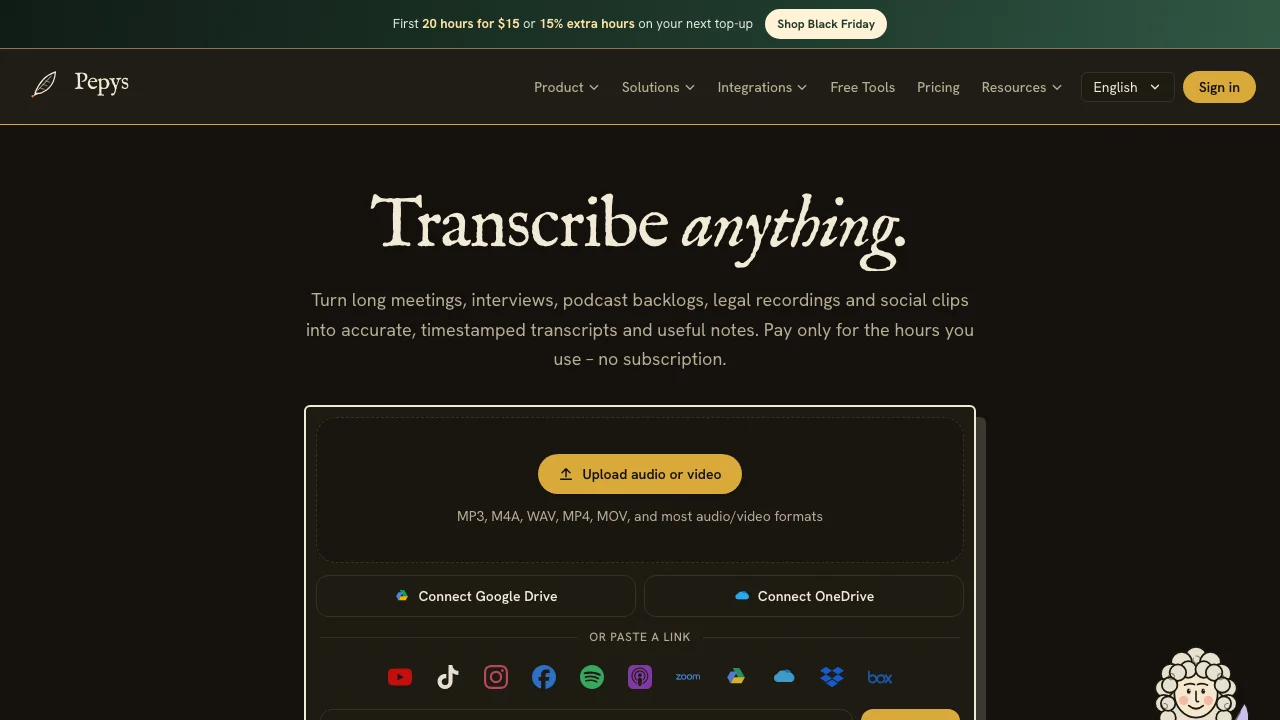
Users upload a recording, import one from a connected service or paste a media link. Pepys auto-detects among 99 spoken languages and can translate the completed transcript while retaining timestamps and subtitle timing. Transcripts can be edited and exported as TXT, Markdown, DOCX, PDF, SRT, VTT or JSON. A REST API, webhooks and an MCP server support automated workflows.
The service is presented for researchers, creators, journalists, students, interviewers, podcasters, marketers, legal teams and other professionals. Documented scenarios include meetings, interviews, podcast backlogs, research recordings, legal statements, social clips and narrated product or QA walkthroughs.
A free account includes 60 transcription minutes and requires no card. Further use is sold through one-time credit purchases rather than a personal subscription, and credits do not expire. One credit covers one minute of standard transcription; speaker labels consume 1.5 credits per audio minute. Free accounts can process one active transcription at a time and make three Google Drive, OneDrive or Zoom imports. An account is required before transcription starts.
Pepys features
Timestamped transcription
Converts audio, video and linked media into searchable transcripts tied to recording times.
Speaker labels
Optional diarization separates and labels speakers, including recordings with cross-talk and interruptions.
Transcript translation
Translates completed transcripts while preserving timestamps and subtitle timing.
Transcript chat
Answers questions from the transcript and cites timestamps for checking the source recording.
Multiple exports
Exports transcripts as TXT, Markdown, DOCX, PDF, SRT, VTT or JSON.
Cloud imports
Connects to Google Drive, OneDrive and Zoom to select recordings without a local download.
Developer access
Provides a REST API, signed webhooks and an MCP server for automated transcription workflows.
Batch processing
Purchased access supports batches containing as many as 100 files.
Pepys pricing
Free account
€ 0
- Includes 60 transcription minutes on signup with no card.
- Supports one active transcription at a time and three Google Drive, OneDrive or Zoom imports.
Pay as you go
From $5 / one-time custom top-up
- Any purchase unlocks Pro tools.
- Credits never expire, and transcription continues to consume the credit balance.
Pepys meters standard transcription at one credit per audio minute; speaker labels use 1.5 credits per minute. Credit purchases are one-time, never expire and are described as final sales.
Safety & privacy
Documented policies and disclosures; not a security certification.
- Chats are stored
- Yes
The privacy policy lists AI-chat messages about a transcript as stored content data.
Source ↗ - Chats used for AI training
- No
Pepys says it does not use customer content to train its own models.
Source ↗ - Delete account and data
- In settings
The security page says users can delete a transcript or their entire account directly in the app.
Source ↗
Is Pepys right for your workflow?
Product details from the vendor’s documentation.
Who it is for
- Researchers
- Creators
- Journalists
- Students
- Interviewers
- Podcasters
- Marketers
- Legal teams
What you provide
- Uploaded audio files, including MP3, M4A and WAV
- Uploaded video files, including MP4 and MOV
- Media links and other URLs
- Podcast RSS feeds
- Google Drive files and Meet recordings
- OneDrive files and Teams recordings
- Zoom cloud recordings
What you can create or export
- Searchable transcript with timestamps
- Speaker-labelled transcript when diarization is enabled
- AI summaries and chapters
- Translated transcript with timestamps and subtitle timing retained
- Structured format-specific notes
- Transcript-grounded chat answers with timestamp citations
- TXT, Markdown, DOCX, PDF, SRT, VTT and JSON exports
Supported platforms
- Web application
- Chrome extension
Integrations
- Google Drive via Google OAuth for files, links, batches and watched folders
- OneDrive via Microsoft OAuth for files, links, batches and watched folders
- Zoom via read-only OAuth for completed cloud recordings from the previous 30 days
- Claude through Pepys's hosted MCP server and OAuth
- ChatGPT as a custom MCP connector where the workspace supports it
- WordPress through a Pepys API key for editable transcript blocks
- Telegram through a one-time chat link for voice notes, audio and video
- REST API with signed webhooks for custom software
Supported languages
- Automatic transcription-language detection across 99 languages
- Translation of completed transcripts into another language with timestamps and subtitles retained
How it works
- Create or sign in to a Pepys account.
- Upload a recording, import one from a connected service or paste a media link.
- Run the transcription and read the searchable, timestamped transcript.
- Review or edit the transcript, export it, or ask questions about its contents.
Limits and requirements
- A free account permits one active transcription at a time.
- Free accounts are limited to three Google Drive, OneDrive or Zoom imports and one recording at a time.
- Speaker labels consume 1.5 credits per audio minute instead of one credit.
- Batch processing of up to 100 files and up to 10 concurrent cloud imports requires a purchase.
- Pepys transcribes a screen recording's audio; it does not read on-screen text, inspect the interface, identify bugs or generate test results.
- Original recordings are automatically deleted about 30 days after upload unless a purchaser deliberately marks an individual recording to keep.
Access, licensing and data
- A free account is required before Pepys starts provider-backed transcription.
- Accounts can use a verified email and password or Google sign-in.
- Pepys offers a v1 REST API, signed webhooks and a hosted MCP server; these use the same transcription credit balance.
- Users retain ownership of submitted content and generated transcripts and outputs under the terms.
- The vendor says customer content is not used to train its own models.
- Users can delete individual transcripts or their whole account from the app.
Official sources (9)
These sources describe the vendor’s product. They do not represent hands-on testing by Artificin. Check the vendor for current pricing and terms.
- Transcribe Audio & Video to Text – Pay As You Go | Pepys
- Pricing: Pay-As-You-Go Transcription Credits | Pepys
- Privacy Policy | Pepys
- Pepys Support: Account, Jobs, Exports, Billing
- Screen Recording to Text – Transcribe a Walkthrough | Pepys
- Terms of Service | Pepys
- Docs – Guides, Integrations and API Reference | Pepys
- Pepys Integrations: AI Assistants, Cloud Storage, Meetings
- GDPR, Security & Privacy at Pepys
Use cases
- Transcribing recorded meetings, Teams calls and workshops without adding a meeting bot
- Turning interviews and research recordings into searchable transcripts with speakers, quotations and timestamps
- Processing individual podcast episodes, RSS feeds or episode backlogs
- Creating working transcripts from recorded legal statements
- Producing captions, summaries, quotations and searchable archives from social clips or sermons
- Converting narrated product walkthroughs, software demos and QA recordings into written handoffs
- Turning lectures into transcripts and notes for students
Similar tools
Matched by shared tasks, capabilities and categories.

Convert audio and video to text quickly and accurately with VideoToWords, the AI-powered transcription tool.

Transform audio and video recordings into accurate, editable text with Audio Convert's AI-powered transcription.
Muse Voice is a powerful speech-to-text tool that transcribes audio and video into editable, timestamped text.

Fireflies.ai transcribes and summarizes meetings, captures action items, and answers questions about meeting content…
- Text
- Audio
- Video
- Free plan:
- 400 minutes of storage/team; limited AI summaries
- From
- $10 per seat/month, billed annually

An AI-powered tool for repurposing audio and video content into blogs, transcripts, social posts, and more.

An AI-powered tool to turn audio and video content into ready-to-use assets like transcripts, summaries, and posts.
Pepys FAQ
How does Pepys turn a recording into text?
Upload an audio or video file to Pepys, import a cloud recording or paste a media link. Pepys returns searchable, timestamped text that can be reviewed, edited and exported.
Which export formats does Pepys support?
Pepys exports transcripts as TXT, Markdown, SRT, VTT, DOCX, PDF or JSON. Word-level timestamp exports are unlocked by a credit purchase.
What is included with a free Pepys account?
A new Pepys account receives 60 transcription credits without requiring a card. Summaries, chapters, transcript chat, translation, standard exports, the API, MCP and webhooks are available before a purchase.
Does Pepys require a subscription?
No. Personal use of Pepys is pay as you go, with one-time credit purchases that do not renew or expire.
How do Pepys credits work?
One Pepys credit covers one minute of standard audio transcription, and 60 credits cover one hour. Speaker labels consume 1.5 credits per audio minute.
What does a Pepys purchase unlock?
Any credit purchase unlocks batch transcription, word-level timestamp exports, unbranded shares and exports, higher cloud-import limits, and the option to retain selected recordings. These tools remain unlocked after the purchased credits are spent, but new jobs still require credits.
Can Pepys issue refunds?
Pepys states that purchases are final. Its pricing FAQ asks users who were charged by mistake to contact the company by email.
Does Pepys use recordings or transcripts to train AI models?
Pepys says it does not use customers' audio, video, transcripts or derived outputs to train its own models. Third-party processors are used to provide requested transcription and AI features.
How long does Pepys retain recordings and transcripts?
Pepys says original recordings are automatically deleted about 30 days after upload unless an eligible purchaser marks a recording to keep. Transcripts and derived outputs remain until the user deletes them or the account.
Is an account required to transcribe with Pepys?
Yes. Pepys requires users to create or sign in to a free account before provider-backed transcription begins.
Does Pepys provide an API?
Yes. Pepys documents a v1 REST API for uploads and transcription jobs, plus signed webhooks and a hosted MCP server.
Which languages does Pepys support?
Pepys says it automatically detects 99 spoken languages. It can also translate a completed transcript into another language while retaining timestamps and subtitles.
Directory listing. Confirm current features, pricing and terms with the provider. User ratings are separate from editorial testing.
- Transcribe Audio & Video to Text – Pay As You Go | Pepys
- Pricing: Pay-As-You-Go Transcription Credits | Pepys
- Privacy Policy | Pepys
- Pepys Support: Account, Jobs, Exports, Billing
- Screen Recording to Text – Transcribe a Walkthrough | Pepys
- Terms of Service | Pepys
- Docs – Guides, Integrations and API Reference | Pepys
- Pepys Integrations: AI Assistants, Cloud Storage, Meetings
- GDPR, Security & Privacy at Pepys
Report outdated information or request ownership of this listing
Help keep Pepys accurate. Include an official source and describe the correction. Ownership requests are reviewed manually and do not grant editing access.
Pepys user ratings
Be the first to rate Pepys. It takes four clicks, and a written review is optional.