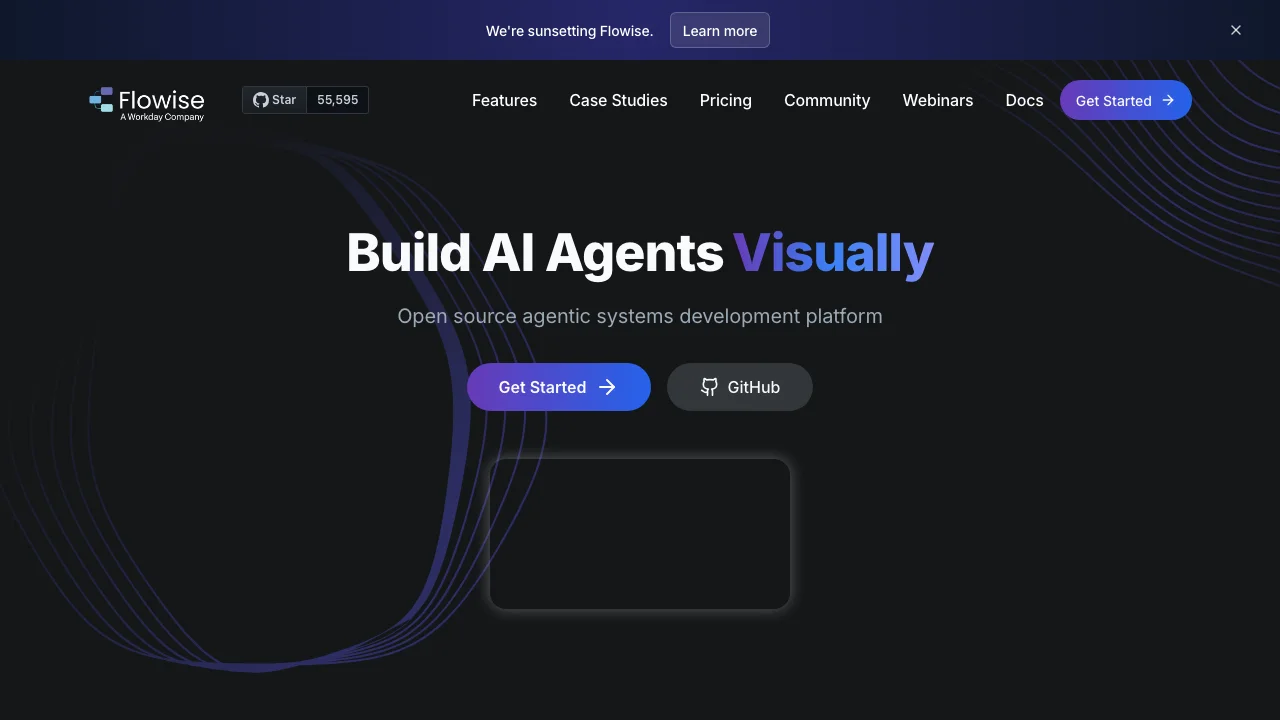

Flowise
Flowise is an open-source visual builder for AI agents, chatbots and LLM workflows, with knowledge retrieval, multi-agent orchestration and application APIs.
Visit Flowise ↗- Category
- AI Agents
- Pricing
- Freemium
- Platforms
- Cloud web app · Self-hosted deployment through NPM or Docker
- Creates
- Chat · Text
- Free plan
- 2 flows and assistants; 100 predictions/month; 5MB storage
- Price from
- $35/month
What is Flowise?
Flowise is an open-source visual development platform for AI agents and LLM workflows. Its three builders cover different levels of orchestration: Assistant creates chat assistants, Chatflow handles single-agent systems and simpler LLM flows, and Agentflow supports multi-agent systems and complex workflows.
Users can give an assistant instructions, tools and uploaded knowledge-base files so it can retrieve information and answer queries. The visual editor supports branching, loops, routing and custom code. Developers can connect applications through APIs, SDKs and embedded chat, while execution traces and human review support monitoring and oversight of agent tasks.
Flowise addresses developers and teams building AI applications. It offers a cloud web app and self-hosted deployment options. The local quick start requires a supported NodeJS version, and the documentation notes that self-hosting involves server setup, database backups and updates.
The website lists Free, Starter and Pro plans with different prediction and storage allowances. It also displays a notice that Flowise is being sunset. The supplied sources do not explain the shutdown schedule or its scope, so the displayed plans should not be treated as confirmation of continued availability.
Flowise features
Multi-agent orchestration
Agentflow supports coordinated agents and complex workflows.
File-based knowledge retrieval
Assistants can retrieve information from uploaded files to answer user queries.
Human review loop
People can review tasks performed by agents within the feedback loop.
Embedded chat access
A customizable chat widget and component can embed chatbot access.
Flowise pricing
Free
$0 / month
- 2 flows and assistants
- 100 predictions/month
- 5MB storage
- evaluations and metrics
- custom embedded chatbot branding
- community support.
Starter
$35 / month
- For individuals and small teams.
- Everything in Free, unlimited flows and assistants, 10,000 predictions/month and 1GB storage.
- First month free.
Pro
$65 / month
- For medium-sized businesses.
- Everything in Starter, 50,000 predictions/month, 10GB storage, unlimited workspaces, 5 users with additional users at $15/user/month, admin roles and permissions, and priority support.
Enterprise
Price not verified
- The website invites discussion of specific use cases and support.
Starter advertises the first month free. The terms state that prices exclude applicable taxes and duties.
Safety & privacy
Documented policies and disclosures; not a security certification.
- Delete account and data
- On request
The privacy policy offers personal-data deletion requests via privacy@flowiseai.com, depending on the user's location.
Source ↗
Is Flowise right for your workflow?
Product details from the vendor’s documentation.
Who it is for
- Developers building AI applications
- Individuals and small teams
- Medium-sized businesses
What you provide
- Assistant instructions and user queries
- Uploaded knowledge-base files
What you can create or export
- Chat assistant responses grounded in uploaded knowledge-base files
- AI agents and LLM workflows
Supported platforms
- Cloud web app
- Self-hosted deployment through NPM or Docker
Integrations
- LangChain integration nodes
- LlamaIndex integration nodes
- Zapier Zaps
- Prometheus and OpenTelemetry for observability
- AWS S3 for file and log storage
How it works
- Install NodeJS; the quick start lists Node v18.15.0 or v20 and above.
- Install Flowise locally with npm install -g flowise.
- Start the application with npx flowise start.
- Open http://localhost:3000.
Limits and requirements
- Self-hosting requires managing instance setup, database backups and updates.
- The production guide lists AWS S3 as the only supported blob storage provider, alongside local file storage.
- Enterprise users must configure enterprise environment parameters before starting the app and request license values from support.
Access, licensing and data
- The privacy policy says Flowise does not collect metrics or data from self-hosted usage.
- The privacy policy says Flowise Cloud data is stored in the US East 1 Region.
- The terms require users to be at least 18 and capable of entering a binding contract.
- The terms grant registered users a limited license for internal business use only.
Official sources (9)
These sources describe the vendor’s product. They do not represent hands-on testing by Artificin. Check the vendor for current pricing and terms.
Use cases
- Build chat assistants that answer queries using uploaded knowledge-base files.
- Coordinate multiple agents within a workflow.
- Build no-code SQL chatbots.
Related videos
Videos linked from the tool’s official website. These may include demos, tutorials or promotional content.
Flowise is an open source no-code UI visual tool to build 🦜🔗LangChain applications
Cobus Greyling
Watch on YouTube ↗Similar tools
Matched by shared tasks, capabilities and categories.
AutoGPT combines specialist AI Experts coordinated by Otto with a visual agent builder for recurring workflows…
- Text
- Chat
- From
- $42.50/month, billed annually

Dify builds and manages data-connected AI agents, chatbots, and visual workflows. Publish applications as web apps…
- Chat
- Text
- Free plan:
- 200 message credits; 5 apps; 1 member

n8n connects AI agents, APIs, and business processes in visual workflows with optional code steps. It supports human…
- From
- 20€/month, billed annually
CrewAI builds and runs multi-agent automations through a visual editor or code-first API, with workflow tracing and…
- Code
- Text
- Free plan:
- 50 workflow executions/month

Beam AI is an enterprise platform for building and operating AI agents that automate bounded workflows. It supports…

Sierra is a business platform for building and managing customer-facing AI agents across voice, chat, email, WhatsApp…
- Chat
- Voice
- Text
Flowise FAQ
Is Flowise being discontinued?
The Flowise homepage displays a sunsetting notice. The supplied notice does not specify a shutdown date or which deployments and services are affected.
Does Flowise have an ongoing free plan?
Flowise lists a $0/month Free plan with 2 flows and assistants, 100 predictions per month and 5MB storage.
Can I self-host Flowise?
Flowise documents local NPM installation and Docker deployment. Its quick start requires Node v18.15.0 or v20 and above, and self-hosting involves managing the server, backups and updates.
Does Flowise provide an API?
Flowise provides a public REST API for programmatically performing many tasks also available in its graphical interface.
How can I cancel a subscription?
Flowise's terms say subscriptions can be canceled through account settings or by contacting the company.
Who owns workflows created in Flowise?
Flowise's terms say users retain ownership of their content and that the company does not claim ownership of created workflows or models. Submitted content is licensed to Flowise for hosting and processing solely to operate and improve its services.
Directory listing. Confirm current features, pricing and terms with the provider. User ratings are separate from editorial testing.
Report outdated information or request ownership of this listing
Help keep Flowise accurate. Include an official source and describe the correction. Ownership requests are reviewed manually and do not grant editing access.
Flowise user ratings
Be the first to rate Flowise. It takes four clicks, and a written review is optional.