
Meloflow
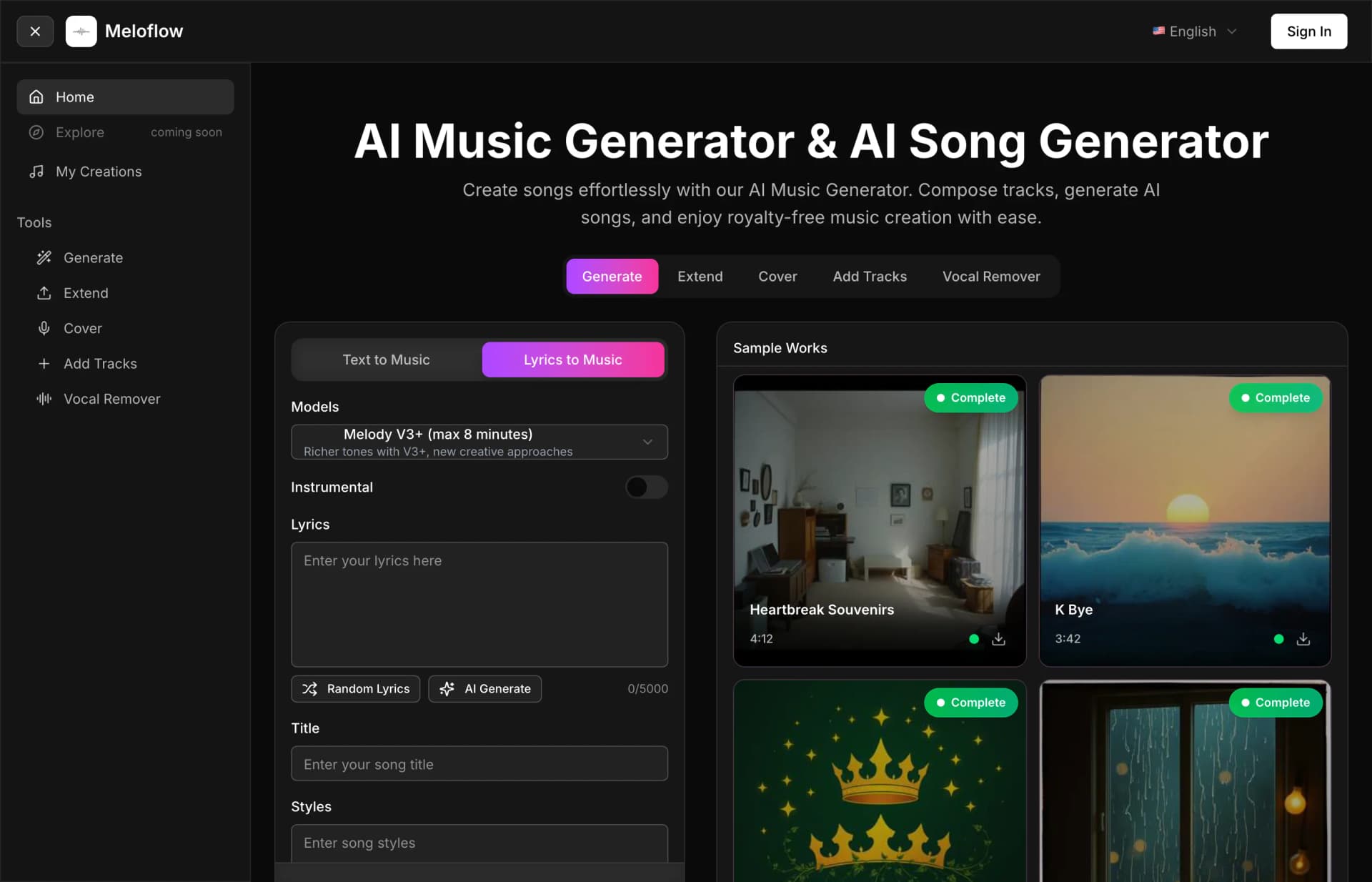
Meloflow creates songs from prompts or lyrics and provides tools for covers, extensions, added parts, and vocal separation.
Visit Meloflow ↗- Category
- Audio
- Pricing
- Freemium
What is Meloflow?
Meloflow generates songs from text prompts, lyrics, or musical ideas. Creators can describe a genre, mood, instrumentation, or vocal direction to shape a track. Its tools also turn uploaded songs into covers, extend existing audio, add vocal or instrumental parts, and separate vocals from instrumentals. Style Reference translates selected artist or song references into musical descriptors before generation, rather than sending their names to the music model.
Meloflow features
Generate complete tracks from text descriptions, including genre, mood, instruments, and vocal direction.
Create cover versions of uploaded songs with a different vocal feel, style, or arrangement.
Extend uploaded ideas, loops, or finished tracks.
Add vocals, instrumentals, or supporting parts to existing music.
Separate vocals and instrumentals for editing or remixing.
Search artist and song references with @ in supported fields and convert them into musical style descriptions.
Meloflow pricing
Free
Free
- Includes 10 credits, text and lyrics generation, music extension, a shared queue, public generations, and seven-day cloud storage.
Lite
$7.99/month
- Billed annually.
- Includes 300 credits per month (200 songs), audio uploads up to four minutes per track, MP3 downloads, and two concurrent generations.
Unused credits do not roll over between billing periods. The terms state that annual subscriptions may be refunded within 14 days of initial purchase; monthly subscriptions are non-refundable once the billing period begins.
Is Meloflow right for your workflow?
Product details from the vendor’s documentation.
Who it is for
- Content creators
What you provide
- Text prompts and lyrics or lyric ideas.
- Uploaded audio for extension, covers, or track layering.
What you can create or export
- Generated music tracks.
- MP3 downloads on Lite; MP3 and WAV downloads on Pro.
How it works
- In a supported prompt or style field, type @ and search for an artist or song.
- Select a reference to insert it as a capsule.
- Once analysis is ready, hover over the capsule to inspect the style descriptor, or refresh it for another interpretation.
- Generate using your written prompt and the translated style descriptors.
Limits and requirements
- The Free plan does not include audio uploads, MP3 or WAV downloads, or a commercial license.
- Lite allows uploads up to four minutes per track and excludes WAV downloads, a commercial license, vocal removal, and stem splitting.
- Uploaded audio must be owned by the user or properly licensed.
- Users must be at least 13; users under 18 need parental consent.
Access, licensing and data
- An account is required to access music generation.
- The vendor states that uploaded content is not used to train its models without explicit consent.
- The privacy policy says music creation data, including prompts, generated tracks, uploads, and preferences, is collected to improve AI models and personalize recommendations.
- The privacy policy allows users to delete their account and associated data.
Use cases
- Create background music, intros, and outros for YouTube videos.
- Draft game loops, ambience, battle cues, and menu themes.
- Make music for podcast segments, trailers, and sponsor reads.
- Generate calm music for study, deep work, or meditation.
Similar tools
Matched by shared tasks, capabilities and categories.
Generate original music and lyrics effortlessly with AI Music, your go-to tool for high-quality audio creation.

Create original music in minutes with our AI song maker. Transform lyrics and text into complete songs effortlessly.

An all-in-one AI music generator that allows users to create unique, royalty-free music effortlessly.

Create music in seconds with AI Music Maker—no music theory needed!

Create professional music in minutes with our AI Music Generator, no musical skills required.

Generate high-quality music and sound effects with AI in minutes, no musical skills required.
Meloflow FAQ
Can Meloflow turn lyrics into a song?
Yes. Add lyrics or lyric ideas to the prompt, and the generator can build melody, vocals, and arrangement around them.
Can Meloflow generate vocals?
Yes. Vocal creation and direction are supported, depending on the generation mode and settings.
Can I use the generated music commercially?
Meloflow describes commercial-use workflows for videos, games, podcasts, ads, and brand projects. Its FAQ advises checking the current plan and license terms before publishing paid work.
Directory listing. Confirm current features, pricing and terms with the provider. User ratings are separate from editorial testing.
Report outdated information or request ownership of this listing
Help keep Meloflow accurate. Include an official source and describe the correction. Ownership requests are reviewed manually and do not grant editing access.
Meloflow user ratings
Be the first to rate Meloflow. It takes four clicks, and a written review is optional.