
Murf AI
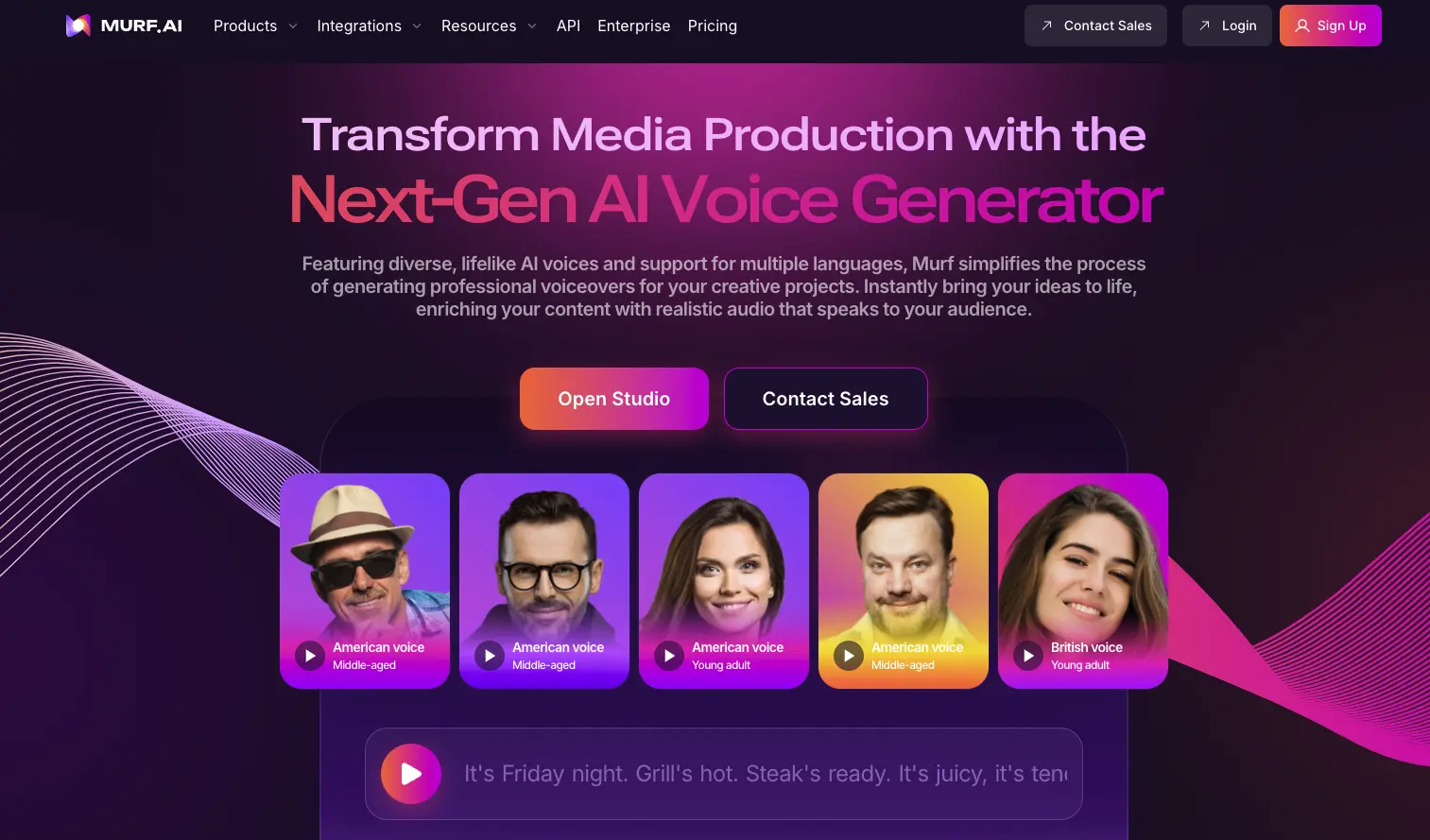
Murf AI combines a text-to-speech API, customizable Studio voiceovers, multilingual video dubbing and enterprise conversational agents.
Visit Murf AI ↗- Category
- Audio
- Pricing
- price $19 /month
- Languages
- Studio offers voices across more than 35 languages. · AI Dubbing supports more than 40 languages.
- Creates
- Audio · Video · Text
- Source checked
- Nov 11, 2026
What is Murf AI?
Murf AI offers tools for speech generation, voiceovers, video dubbing and conversational agents. Developers can use its text-to-speech API, while creators can use Murf Studio to adjust voice pitch, speed, intonation and pronunciation. Its dubbing product translates videos into other languages while preserving the original voice and tone. Enterprise agents handle inbound and outbound calls and chat, with escalation to a human when needed. The collected pricing page covers API usage rather than Studio or dubbing subscriptions.
Murf AI features
Voiceover control
Studio lets users adjust pitch, speed and intonation and use a custom pronunciation library.
Multilingual video dubbing
Murf translates videos into other languages while preserving the original voice, meaning and tone.
Agent human escalation
Enterprise agents handle calls and chat and escalate issues to a human when required.
Safety & privacy
Documented policies and disclosures; not a security certification.
- Delete account and data
- Yes
The terms allow content deletion or account closure, with exceptions for shared copies and time needed to remove backups.
Source ↗
Is Murf AI right for your workflow?
Product details from the vendor’s documentation.
Who it is for
- Developers, creators and localization teams.
- Enterprises deploying conversational agents.
What you provide
- Text for speech synthesis.
- Videos for multilingual dubbing.
- Voice recordings for the API voice changer.
What you can create or export
- Synthesized speech and voiceovers.
- Videos dubbed into other languages.
- Text transcribed from audio through the speech-to-text API.
Integrations
- Murf Studio integrations with Canva, PowerPoint and Captivate.
Supported languages
- Studio offers voices across more than 35 languages.
- AI Dubbing supports more than 40 languages.
Limits and requirements
- API Free Trial allows up to 5 concurrent TTS requests and 5 concurrent STT requests.
- API Pay as you go allows up to 5 concurrent TTS requests and 150 concurrent STT requests.
- Voice cloning requires explicit written consent from the person whose voice recordings are submitted.
Access, licensing and data
- The API trial does not require a credit card.
- The terms set a minimum age of 16, or an older age where applicable law requires it for service without parental consent.
Use cases
- Customer service and support conversations.
- Appointment booking through voice agents.
- Voiceovers for e-learning.
- Podcast and audiobook narration.
- Dubbing educational content and product demos.
Murf AI tutorials & resources
Guides, videos and reusable material for getting more out of Murf AI. Each link goes to the original source.
From Murf AI
Working with the Studio | Help Center
Find Studio guidance on projects, voice settings, script and media imports, and arranging voice blocks and background tracks on the timeline.
Studio Home Basics
Learn how the Studio home screen organizes workspaces, projects, folders, and team collaboration.
Mobile Web App
Learn to select voices and languages, adjust speed and pitch, generate voiceovers, and share or download results in Murf's mobile web app.
Speech Customization | Murf API | Documentation
Explore model-specific controls for pronunciation, pauses, styles, speed, pitch, volume, and multilingual speech output.
Rate Limits & Concurrency | Murf API | Documentation
Understand how API concurrency is counted, inspect usage in responses, and handle limits for streaming, WebSockets, and speech recognition.
Murf Dub Automation API | Murf API | Documentation
Explore bulk dubbing automation through an API, with a quickstart, language coverage, limits, and troubleshooting guidance.
Canva Integration
Learn how to install Murf within Canva and connect an account to use Murf voiceovers in presentations and creative projects.
Creating Your First Dub
Create a dubbing project by uploading audio or video, setting the source language, and choosing a target language and dubbing option.
Quickstart | Murf API | Documentation
Set up an API key, make a first streaming text-to-speech request, and get started with audio transcription.
How to Make a Discord Voice Bot Using Murf TTS API
Build a Python Discord bot that uses OpenAI and Murf to summarize announcements and play them aloud.
WebSocket | Murf API | Documentation
Consult WebSocket connection details, message formats, and regional endpoint choices for streaming text into real-time speech.
Video tutorials
Getting started with Murf Studio | Murf AI
Get an introductory video walkthrough of using Murf Studio.
Introduction To Pronunciations | Murf AI
Learn the basics of working with pronunciations in Murf through an introductory video.
Create and Customise Voice Overs | Murf AI
Learn how to create voiceovers and customize them in Murf.
Workflows, skills and templates
GitHub - murf-ai/n8n-nodes-murf: n8n integration for murf APIs like text-to-speech, dubbing , voice changer, and translations
Get an n8n integration for using Murf APIs for text-to-speech, dubbing, voice changing, and translation.
GitHub - murf-ai/murf-livekit-starter
Get a Murf Falcon voice-agent starter project with frontend and backend code and launch scripts.
Guides, courses and community
Join the Murf AI Discord Server!
Join a Murf API community focused on building applications that use generated voices.
GitHub - murf-ai/murf-cookbook: Examples and guides for using Murf API
Explore runnable examples and guides for getting started with the Murf API using a Murf account and API key.
Independent resources are made by their authors, not by Murf AI or Artificin, and may describe older versions.
Similar tools
Matched by shared tasks, capabilities and categories.

Inworld provides real-time text-to-speech with low latency, perfect for interactive applications.

Create professional videos effortlessly with Pipio's AI-powered platform, no filming required.

AI-powered voice and video generator using celebrity-like voices.

Create stunning visuals and videos effortlessly with Bith.AI's AI-powered tools.

Create expressive and realistic voice AI for audiobooks, podcasts, and more with Hume AI.

Speechify reads documents and web pages aloud and supports voice typing. Its AI assistant also answers questions about…
- Audio
- Text
Directory listing. Confirm current features, pricing and terms with the provider. User ratings are separate from editorial testing.
Report outdated information or request ownership of this listing
Help keep Murf AI accurate. Include an official source and describe the correction. Ownership requests are reviewed manually and do not grant editing access.
Murf AI user ratings
Be the first to rate Murf AI. It takes four clicks, and a written review is optional.