
Photo to Video AI
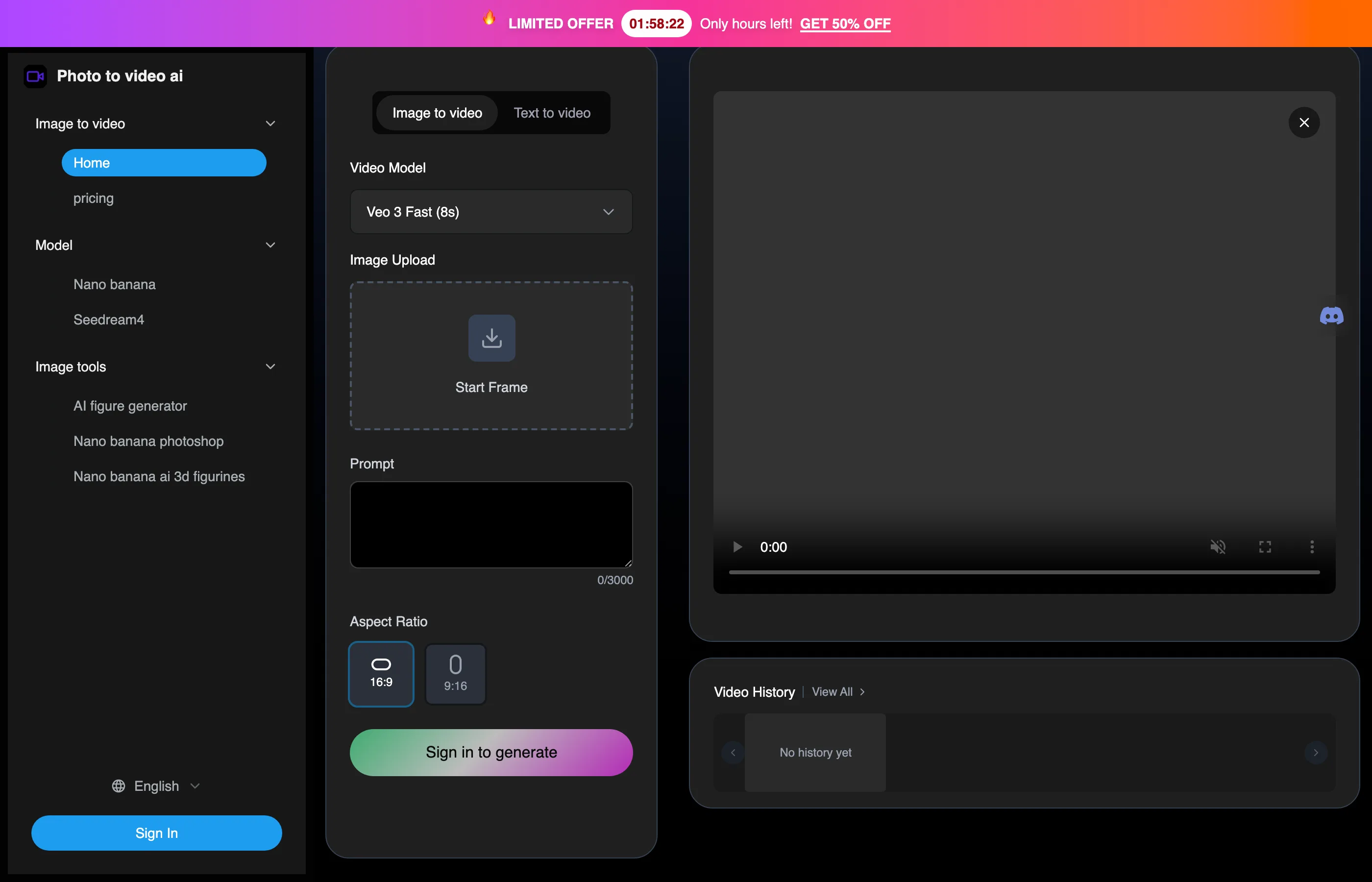
Generate videos from photos or text prompts, with portrait and landscape options, prompt-guided camera movement, and MP4 downloads.
0
About
Photo to Video AI turns static photos or text prompts into videos using AI models. It supports portrait and landscape aspect ratios and 720p or 1080p output. Users can influence camera movement through descriptive prompts and download MP4 files. The vendor describes uses including social media posts and animated family or travel keepsakes. Generation requires sign-in and uses credits.
Is Photo to Video AI right for your workflow?
Product details from the vendor’s documentation.
Who it is for
- Social media creators
What you provide
- Static JPG, PNG, and WEBP images.
- Text prompts and descriptions for video generation.
What you can create or export
- MP4 videos at 720p or 1080p.
How it works
- Upload an image. The guide lists JPG and PNG and recommends clear subjects and good lighting.
- Choose an available AI model and an animation style, or use an automatically suggested style.
- Generate the video, preview the result, and download the MP4 file.
Limits and requirements
- The displayed paid plans specify a maximum video length of eight seconds.
- The terms prohibit content containing nudity, sexual content, or pornography.
Access, licensing and data
- Sign-in is required to generate videos.
- The terms permit personal or commercial use of videos made from your own photos.
- The privacy policy lists AI model training among uses of personal information and says users may opt out by contacting the vendor.
- The privacy policy says generated content is retained according to account settings and technical requirements.
Use cases
- Create video posts, stories, and reels for Instagram, TikTok, and YouTube.
- Animate family portraits and travel photos into personal keepsakes.
- Experiment with animation styles and visual storytelling.
Features
- 1 - Photo-to-video and text-to-video generation.
- 2 - Model choices include Veo 3, Seedance, Hailuo, and Video STD.
- 3 - Descriptive prompts can influence pans, zooms, and rotations.
- 4 - Portrait 9:16 and landscape 16:9 aspect ratios.
Pricing plans
Basic
$9.9 USD
- Displayed promotional price alongside $19.9 USD. Includes 600 credits that do not expire.
Max
$99.9 USD
- Displayed promotional price alongside $199.9 USD. Includes 7500 credits that do not expire.
Pro
$49.9 USD
- Displayed promotional price alongside $99.9 USD. Includes 3300 credits that do not expire.
Purchased credits do not expire. The terms state that credits are non-transferable and non-refundable except where required by law, and that consumed credits cannot be refunded.
FAQ
What video formats are supported?
The service outputs MP4 videos with 720p and 1080p resolution options.
Can prompts control camera movement?
The AI uses the image and prompt to generate camera movement. Descriptive prompts can influence effects such as zooms, pans, and rotations.
How long does photo-to-video generation take?
The vendor estimates 1–3 minutes using Veo 3, depending on complexity and server load.
Loading reviews...
Explore similar tools
Matched by shared tasks, capabilities and categories.

VO3 AI
FreemiumNo ratings yet
0 reviews
Shared focus: ai video generator, image to video
Create stunning AI-generated videos from text and images in minutes with VO3 AI.

Luma Dream Machine
FreemiumNo ratings yet
0 reviews
Shared focus: ai video generator, image to video
Create cinematic videos from text and images effortlessly with Luma Dream Machine.

Luna AI Video Generator
FreemiumNo ratings yet
0 reviews
Shared focus: ai video generator, image to video
Create stunning, high-quality videos in minutes with Luna AI's free online video generator.

Pixwith
FreemiumNo ratings yet
0 reviews
Shared focus: ai video generator, image to video
Transform text and images into stunning videos with Pixwith.ai's powerful AI tools.

Seedance 1.5 Pro
FreemiumNo ratings yet
0 reviews
Shared focus: ai video generator, image to video
Seedance 1.5 Pro is an AI video generator that creates stunning videos from text and images with synchronized audio.

Seedance
FreemiumNo ratings yet
0 reviews
Shared focus: ai video generator, image to video
Transform text and images into cinema-grade videos with Seedance 2.5, the all-in-one AI video generator.