
Spline
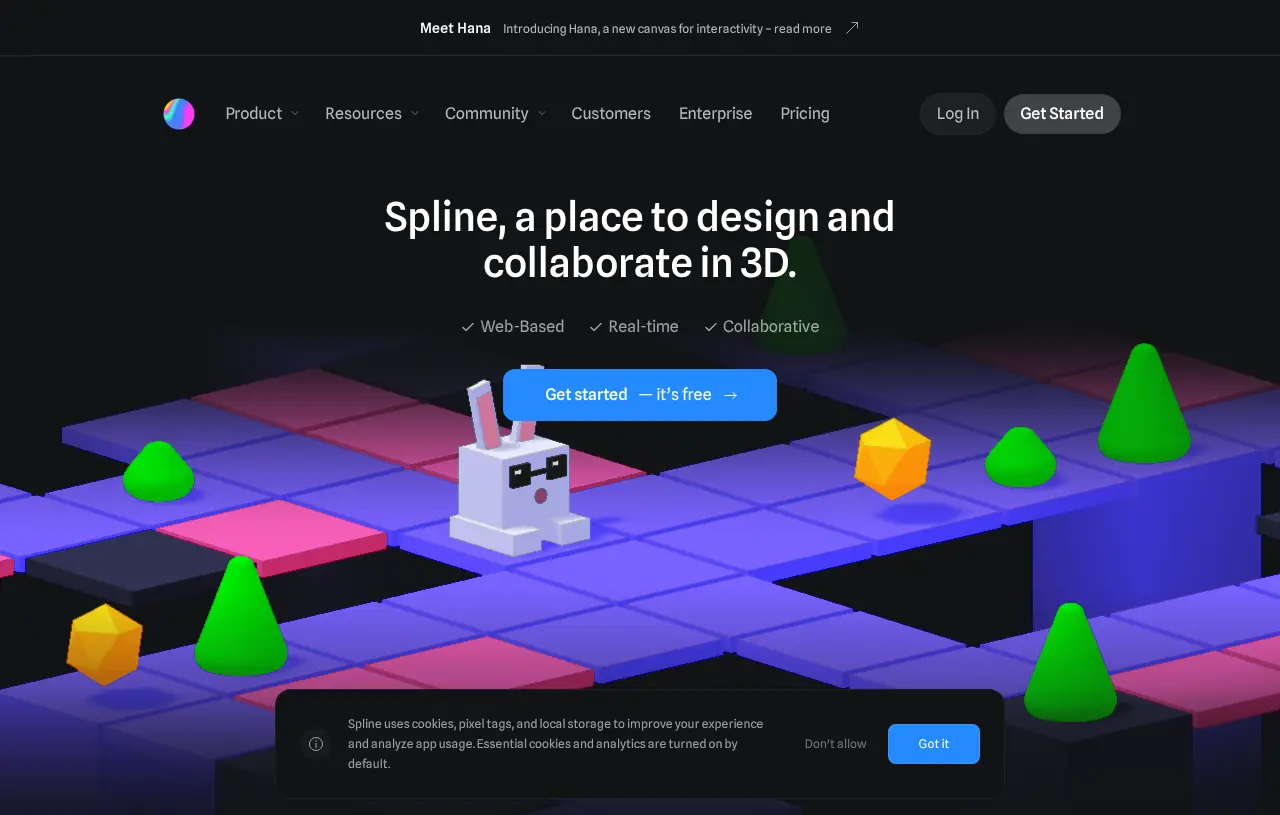
Spline creates interactive 3D scenes and 2D designs with real-time collaboration and AI-assisted editing. It supports web publishing and plan-dependent Apple and Android exports.
Visit Spline ↗- Category
- 3D
- Pricing
- Freemium
- Platforms
- Browser-based editor · Desktop application
- Creates
- Images · Video
- Free plan
- 20 MCP tool calls/day; limited personal files
- Price from
- $12/seat/month, billed annually
- Source checked
- Nov 18, 2026
What is Spline?
Spline is a browser-based design tool for interactive 3D and 2D experiences. Its 3D editor supports modeling, materials, lighting, animation and physics, while its Hana editor provides a 2D canvas for interfaces and animated graphics. Teams can collaborate in real time and use AI agents to build and edit content. A prompt or image can also become a 3D model for a scene. Finished experiences can be published to the web or exported for Apple and Android, with export options depending on the plan.
Spline features
Prompt-based 3D generation
Turn a text prompt or image into a model that can be brought into a scene.
Editable agent output
AI-created content remains regular Spline objects that users can select, restyle and animate.
Interactive scene behavior
States, events and actions let scenes respond to clicks, scrolling, keys and collisions.
Spline pricing
Free
$0 per month
- No AI credits included.
- Includes 20 MCP tool calls per day, limited personal files, unlimited file viewers and watermarked web exports.
Hobby
$12 per seat per month, billed annually
- Includes 2,000 AI credits per seat per month, 100 MCP tool calls per day, unlimited 3D and 2D files, video uploads and watermark-free web exports.
Pro
$25 per seat per month, billed annually
- Includes Hobby features, 3,000 AI credits per seat per month, 200 MCP tool calls per day, unlimited folders and projects, video export, and Apple and Android exports.
Max
$60 per seat per month, billed annually
- Includes Pro features, 10,000 AI credits per seat per month, 400 MCP tool calls per day and a 100MB maximum video size.
Enterprise
Contact sales
- Includes Max features, custom AI credits, centralized licensing and billing, multiple teams with team privacy, SAML SSO, self-hosted exports and custom onboarding.
AI credits are shared between the 3D and 2D editors. They renew each billing cycle and do not roll over or accumulate.
Safety & privacy
Documented policies and disclosures; not a security certification.
- Chats used for AI training
- Yes
Spline's privacy policy says information users provide is used to develop, improve and train AI models.
Source ↗
Is Spline right for your workflow?
Product details from the vendor’s documentation.
Who it is for
- Creative developers
- Design teams
- Teachers
What you provide
- Text prompts or images for 3D model generation
What you can create or export
- Interactive web experiences
- USDZ and STL exports on Pro and higher plans
- GLTF exports with color and texture on Pro and higher plans
Supported platforms
- Browser-based editor
- Desktop application
Integrations
- Spline MCP connects compatible agents, including Claude, ChatGPT, Cursor and Codex, to tools for reading and editing scenes.
Limits and requirements
- The free plan has limited personal files, no included AI credits and watermarked web exports.
- Apple and Android exports require Pro or a higher plan.
- Self-hosted export is restricted to Enterprise.
Official sources (6)
These sources describe the vendor’s product. They do not represent hands-on testing by Artificin. Check the vendor for current pricing and terms.
Use cases
- Create interactive 3D product showcases.
- Design animated 3D logos for websites and mobile apps.
- Build interactive 3D learning experiences.
- Design and publish playable 3D games for the web.
Similar tools
Matched by shared tasks, capabilities and categories.

Transform 2D images into immersive 3D scenes effortlessly.

Animate images and create stunning visuals effortlessly with Morphic.

Create and animate in 3D with real-time collaboration and AI motion capture.

Generate coherent panoramic scenes using AI with L-MAGIC.

Create, animate, and explore custom brick creations with AI technology for free!

Tatship is an online tattoo simulator that lets you try on designs virtually before getting inked.
Spline FAQ
Can I use Spline for free?
Yes. The free plan includes limited personal files, unlimited file viewers and access to templates. Published scenes carry a Spline logo.
How can I cancel my subscription?
Choose Cancel Plan in account settings. Plan benefits remain available until the active billing period ends. Spline does not provide prorated refunds after a new billing cycle starts.
How do Spline AI credits work?
Paid seats receive monthly credits: 2,000 on Hobby, 3,000 on Pro and 10,000 on Max. Both editors share the balance. Credits refresh each billing cycle and do not roll over.
Directory listing. Confirm current features, pricing and terms with the provider. User ratings are separate from editorial testing.
Report outdated information or request ownership of this listing
Help keep Spline accurate. Include an official source and describe the correction. Ownership requests are reviewed manually and do not grant editing access.
Spline user ratings
Be the first to rate Spline. It takes four clicks, and a written review is optional.