Gumloop
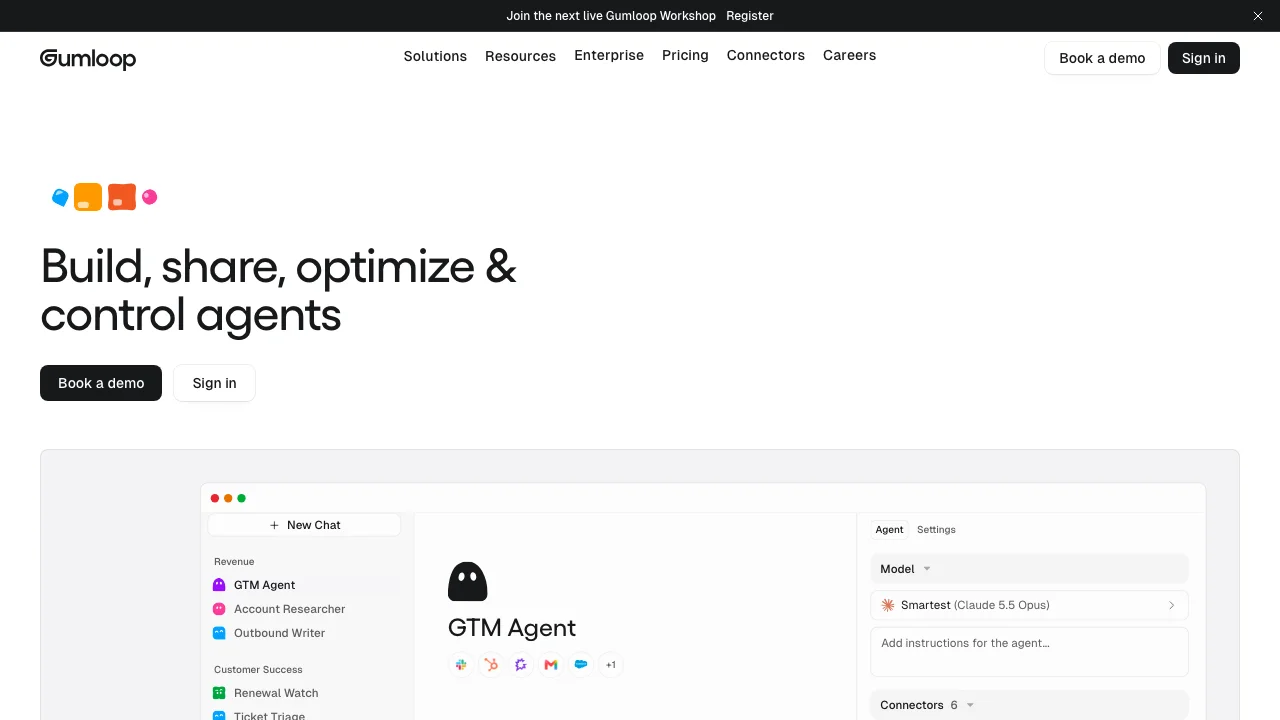
Gumloop builds shared AI agents that act across connected business tools and data. Agents can run from chat, triggers, schedules, or an API and use a browser when a connector is unavailable.
Visit Gumloop ↗- Category
- AI Agents
- Pricing
- Paid
- Creates
- Text · Chat
- Price from
- $37/month
What is Gumloop?
Gumloop is an AI agent platform for building and sharing agents that work across a company’s tools and data. Teams can run agents through conversations or automate them with triggers, schedules, and an API. Its documented jobs include preparing meeting briefs from CRM and calendar data and triaging support tickets.
Users describe an agent’s goal or start with a template, then configure its model, instructions, connectors, skills, and access. Connected tools determine what the agent can see and do. Tasks can produce answers, files, and updates in connected apps. Users can ask an agent to save a successful approach as instructions or a reusable skill; feedback in a single conversation does not automatically change future tasks.
Gumloop addresses marketing, sales, operations, support, and ecommerce teams. Agents can work in Slack and Microsoft Teams, and use a browser for tasks without a native connector. Browser sessions support saved credentials, human handoffs, and recordings. Access settings control who can use and manage agents.
The pricing page lists Pro at $37 per month and an Enterprise tier with custom pricing through sales. Pro includes 20k monthly credits and lists an 8% orchestration fee. The terms permit content use for AI model training, with an exception for Enterprise customers under a signed agreement.
Gumloop features
Automatic task triggers
Agents can start from app events, webhooks, schedules, or one-time triggers.
Browser task handoffs
Agents hand a live browser session to a person for sign-in or approval, then resume the task.
Reusable task skills
Users can save a completed procedure so an agent has steps to follow on future tasks.
Gumloop pricing
Pro
$37 per month
- 20k credits per month
- 8% orchestration fee.
Enterprise
Contact sales
- Custom pricing and custom included credits.
Pro lists 20k credits per month and an 8% orchestration fee. Subscription fees are non-refundable except when required by law.
Safety & privacy
Documented policies and disclosures; not a security certification.
Is Gumloop right for your workflow?
Product details from the vendor’s documentation.
Who it is for
- Marketing, sales, operations, support, and ecommerce teams
What you provide
- Agent goals described in natural language or selected from templates
- Invoice PDFs from Gmail
What you can create or export
- SEO content briefs with research and an outline
- Structured, sourced answers delivered as a table or file
Integrations
- Slack: mention an agent in a channel or thread.
- Microsoft Teams: use agents in chats and channels.
- 1Password: connect credentials for agent browser logins.
How it works
- Select New agent in the Agents panel or Create Agent on the Agents page.
- Describe the agent’s goal, choose a template, or start with a blank agent.
- Add the connectors the agent needs.
- Run a task from start to finish and review its behavior.
- Ask the agent to save a successful approach in its instructions or as a skill.
Limits and requirements
- Feedback in one conversation alone does not update every future task.
- Creating an agent in a selected space requires permission.
Access, licensing and data
- Gumloop documents a REST API for running agents.
- Incognito can keep new tasks out of saved history.
Official sources (9)
These sources describe the vendor’s product. They do not represent hands-on testing by Artificin. Check the vendor for current pricing and terms.
Use cases
- Answer data warehouse questions in Slack without writing SQL.
- Update CRM deals and research accounts.
- Triage support issues and identify patterns across reports.
- Extract invoice PDFs from Gmail, validate numbers, and log them in Google Sheets.
Similar tools
Matched by shared tasks, capabilities and categories.

Sierra is a business platform for building and managing customer-facing AI agents across voice, chat, email, WhatsApp…
- Chat
- Voice
- Text

Skyvern uses AI agents to automate browser workflows such as navigation, form filling, authenticated data extraction…
- Text
- Code
- From
- $29/month

Beam AI is an enterprise platform for building and operating AI agents that automate bounded workflows. It supports…

Build and manage specialist AI agents with visual workflows, shared knowledge and event-based triggers. Relevance AI…
- Text

11x is an AI go-to-market platform whose digital workers run outbound prospecting and respond to, qualify, route, and…
- Text
- Chat
- Voice
- From
- From $2,417/mo

AutoGPT combines specialist AI Experts coordinated by Otto with a visual agent builder for recurring workflows…
- Text
- Chat
- From
- $42.50/month, billed annually
Gumloop FAQ
What can I use Gumloop for?
Gumloop supports agents for jobs such as preparing meeting briefs from CRM and calendar data and triaging support tickets. Agents can be shared with a team and run from chat or automatic triggers.
How do Gumloop agents connect to existing tools?
Gumloop lets users add connectors such as Gmail, Salesforce, and Slack. The selected connectors determine what an agent can see and do.
How much does Gumloop Enterprise cost?
Gumloop lists Enterprise with custom pricing and directs buyers to contact sales.
Can I cancel a Gumloop subscription?
Gumloop’s terms say subscriptions renew automatically unless canceled. Renewal can be canceled through the online account management page or customer support.
Does Gumloop offer subscription refunds?
Gumloop’s terms state that paid subscription fees are non-refundable except when required by law.
Directory listing. Confirm current features, pricing and terms with the provider. User ratings are separate from editorial testing.
Report outdated information or request ownership of this listing
Help keep Gumloop accurate. Include an official source and describe the correction. Ownership requests are reviewed manually and do not grant editing access.
Gumloop user ratings
Be the first to rate Gumloop. It takes four clicks, and a written review is optional.